Authentication
This guide covers how to access the Group Mini application, create an account, and manage your credentials.
Logging In
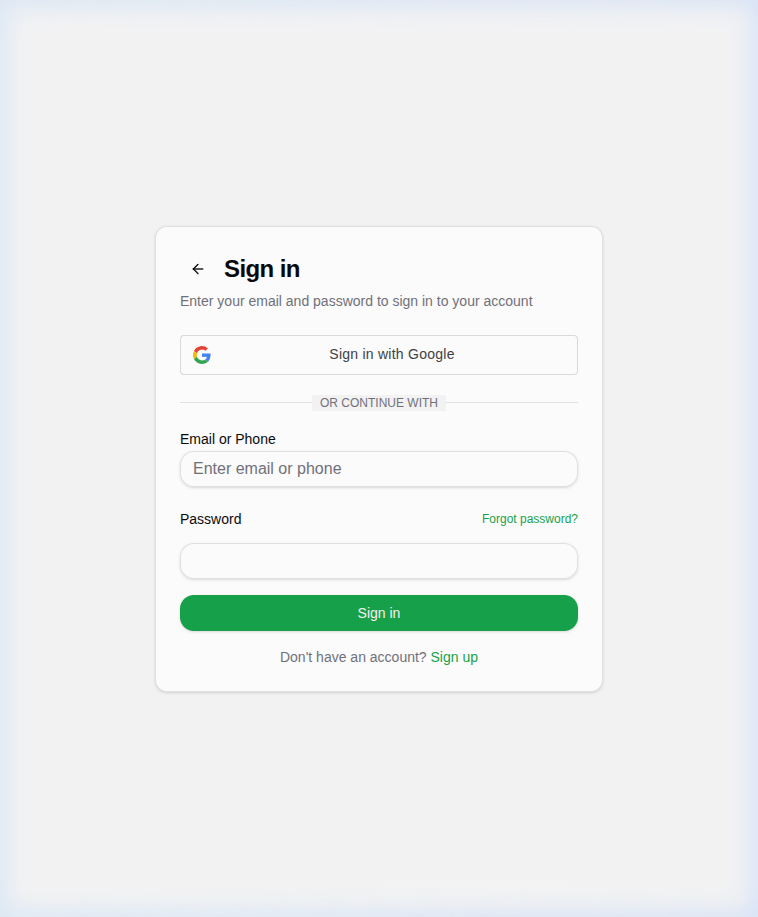
To log in to your account:
- Navigate to the login page at
https://group-mini.smartxuls.club/login. - Enter your Email or Phone number.
- Enter your Password.
- Click "Sign in".
You can also sign in with Google by clicking the "Sign in with Google" button.
Forgot Password
If you forgot your password:
- Click the "Forgot password?" link on the login page.
- Enter your email in the dialog that appears.
- Click "Send Reset Link".
- Follow the instructions in the email to reset your password.
Creating an Account
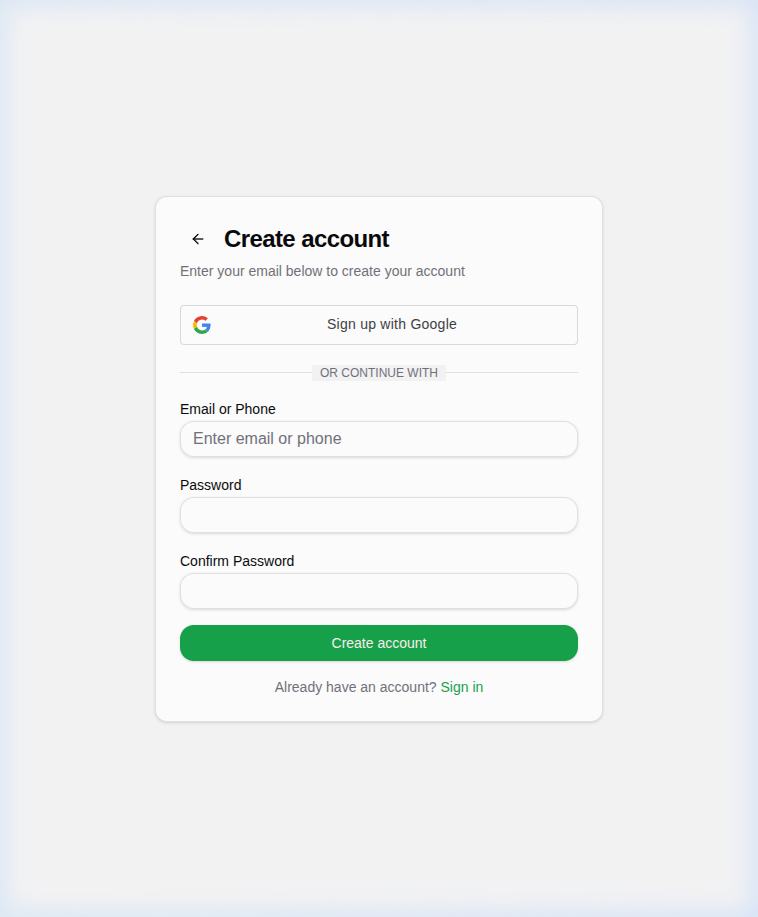
If you don't have an account:
- Click on the "Sign up" link at the bottom of the login page.
- Enter your Email or Phone number.
- Enter a Password and confirm it.
- Click "Create account".
You can also create an account using Google.
Verifying Your Email
After registration, if your email is unconfirmed, you may see a message or restricted access until you verify it. Follow the link sent to your email to complete verification.